


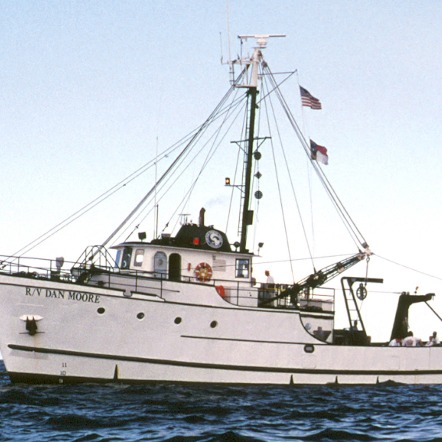
Thank you for your amazing efforts. We have docked!
FAQ
In general:
Where will the data be available?
Data associated with research specimens located at the North Carolina Museum of Natural Sciences will be immediately added to the museum's website and made globally available via collections.naturalsciences.org.
Who is funding this project?

This project was made possible in part by the Institute of Museum and Library Services [MA-30-18-0275-18].
Procedural/workflow questions:
Why can't I fix or go back to a classification for which I clicked "Done"?
Zooniverse saves data at the classification level as users go along. The system is unable to retrieve a completed classification from the database in order to alter it. Hence, there is no "Back"/"Revise" button after all task questions have been completed. However, there is a "Back" button on each task/question page (after the first one asking if there is data) that you can use to correct your answers until have you clicked "Done." Therefore, please check your transcriptions if needed before you have clicked "Done" after completing the last question for a subject.
What do I do when I see data crossed out and written over, especially in red ink?
If you see data that has been written over to correct it, please record the new number or information. For example, you would record the below corrected station number as "34306" instead of the incorrect "32306" that was written over. The research team does not need to be made aware of any pages with corrected information, as they are a regular occurrence.

What do I do when I see gear data that was clearly recorded in the wrong row (ex. "Piston core" is recorded in the "Trawls" field instead of the "Cores" field)?
In order to maintain consistency across all submissions, please transcribe the data as you see it unless there is an arrow clearly noting that the information was recorded in the wrong field. During the compiling of the data, these anomalies will stand out and the research team will be able to revisit and check the logs.
What do I do when I see a note written vertically/across multiple gear rows? (See example below.)
These notes almost always pertain to something recorded normally in a gear field. They do not need to be transcribed for each row. If the note is clearly about the gear recorded (here the note is about the Niskin hydrographic gear sample, because it also references oxygen), you may transcribe it with the gear, i.e. transcribe "NISKIN O2 - THEY FORGOT O2 ON FIRST CAST" when prompted for hydrographic gear. If you are unsure if it matches the gear noted, or if there is no gear noted, just transcribe the note in the first field it appears in (i.e. you would transcribe the note in the example in the Trawls field). As mentioned above, any anomalies in recorded data will be sorted out after the aggregation of all data.

What do I do when I see "do" or a " in the Finish data rows for a "ditto" of repeated data from the Start data rows? (See example below.)
Please transcribe the corresponding original data which would have been re-recorded if the "do" or "ditto" shorthand had not been used to duplicate the Start data. The data are important! (Ex. Record "18" for the Finish depth at station 26388 as a ditto of the Start depth at that station.)
