


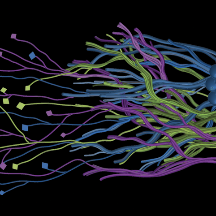
Thank you everyone for making this project a great success! You have helped us successfully complete our current data set! We are planning to upload new data here soon! Please keep any eye out for our announcements on Talk!
This experience works best on desktops and laptops which have mouse or track-pad capabilities. We recommend using one of these for the best results!
Warning: This project shows 3-dimensional data of brain tissue from non-human primates imaged using fluorescence microscopy.
FAQ
How to use the Volumetric Subject Viewer
In collaboration with the Zooniverse, we are introducing our new Volumetric Subject Viewer which enables 3-dimensional Tract Tracing data to be viewed, interacted with, and marked on. We are also very excited to introduce a semi-automated annotation accelerator to assist you with swiftly making marks!
The Volumetric Subject Viewer displays the 3D data in a virtual cube, which can be navigated through the X, Y, and Z Plane Views (left collapsable panels). You can also interact with the Volumetric View (middle panel).
Marked traces through the cube will be displayed in a color other than grayscale. You can create, activate, extend, undo, and delete marks in both the Volumetric and Plane Views. Only the currently active mark can be extended.
Step-by-step Instructions
- Your first click: In any Plane View OR in the Volumetric View, left mouse-click to create your first mark. Extend any existing mark by continuing to follow the path and left-clicking.
- Start a new mark: Press the Add a New Mark button or Hold Shift & left mouse-click in any Plane View or in the Volumetric View. You should see a new color. If you click on an existing mark, it will select the mark.
- Undo: Click the undo button after the extension of any mark or to delete a new mark if was just created.
- Delete: Click to delete the entirety of the currently active mark.
- Expand / Collapse: Click to open or close the visibility of any X, Y, or Z Plane View. Working with 1 plane open at a time usually gives the best results.
- Vertical Slider: Drag the slider in the Plane View to navigate through the slices of virtual cube along that dimension. You can also click the 10 Ahead button to get a quick glance through the plane.
- Horizontal Histogram Slider Drag the slider below the Volumetric View to filter out the bright / dark values in the cube. This can help to narrow down your targeted pathways.
Detailed walkthrough of an entire cube
What do we mean by Left Click?
For many of you, left-click will be the left-most button on your mouse if their device uses one (e.g., desktop PCs). If your mouse does not contain left or right buttons, use the button/keyboard button that you would normally use to select something (e.g., selecting a folder). If you are using a laptop with a track pad, then the left-click means a single tap on the track pad or clicking the left-most area of it that is usually configured for a left-click (e.g., Macbooks). Some laptops (e.g., Dell, HP) come with dedicated track-pad buttons, in which case left-click corresponds to pressing the left track-pad button.
Semi-Automated Annotations: How does it work?
We are also excited to introduce to you a semi-automated annotation framework with the Volumetric Subject Viewer. This tool will enable you to just click on regions of interest to "auto-fill" them. Through this, we hope to help you make the marking experience as easy as possible within a 3D environment.
Under the hood, the semi-automated annotation is an A-star algorithm, a popular method to find the nearest neighboring groups of similar points and connect them. A similar approach is used in maps to find directions from point A to B. We have implemented this algorithm such that it works in the background by taking your clicked location within 2D or 3D views to find the nearest groups of points within a certain value threshold. We hope you find this experience smooth and helpful!
What is a neuron? What is an axon?
The brain and the rest of the nervous system are composed of many different types of cells, but the primary functional unit is a cell called the neuron. All sensations, movements, thoughts, memories, and feelings are the result of signals that pass through neurons. Neurons consist of three parts: the cell body, dendrites, and the axon. Want to know more about the brain? -- Read more here!

What data am I working with?
Axons provide a basis for information transmission in the brain. They are like the roads that connect different places within the brain that allows the information traffic to commute. They can span long distances, and we want to know the pathways they take. As it would not be possible to see an axon with the naked eye, the researchers labeled a fraction of the brain’s axons with a glowing (fluorescent) marker. You’re working with images within which the axons embedded are glowing in the brain.
How was the data imaged?
These data were imaged using advanced microscopy tools that allow us to achieve very high-resolution magnification.
What are the bright spots/lines in the data?
The bright spots are the fluorescent marker. In many of the volumes, you will see that they form lines. These are axons. They might curve, or they might go straight through the volume. This is what we need to know!
Why do some chunks of data have abrupt black edges?

This may be because of a problem during the data collection process and as a result "no information" is present in that particular region, resulting in a visualization that is black in color.
Why is it necessary to use animals in some aspects of medical research?
Animal research is carried out only when there are no other ways to answer important scientific questions. For studies of the brain, animal models are sometimes necessary because they allow us to explore structures that cannot yet be fully studied with computer models or non-invasive techniques in humans.
Our work follows the principles of the 3Rs:
- Replacement – using alternatives to animals whenever possible, such as computer modeling or human-derived data.
- Reduction – designing studies that use the fewest animals necessary to obtain reliable results.
- Refinement – ensuring that animal care and research practices minimize discomfort and improve welfare at every step.
All research is reviewed and approved by independent oversight committees that ensure compliance with strict federal and institutional guidelines. Through this careful approach, we aim to balance the responsibility of caring for animals with the potential to make discoveries that improve human health and deepen our understanding of the brain.
What protocols did the researchers follow for this project?
The Mind Mapper project uses existing brain imaging data collected at the University of Minnesota under approved federal and institutional guidelines for the ethical care and use of animals in research. The work is approved by the Institutional Animal Care and Use Committee (IACUC) at the University of Minnesota. This project operates under Animal Welfare Assurance number D16-00288 (A3456-01), which ensures compliance with the policies described by the Public Health Service Policy on Humane Care and Use of Laboratory Animals. For initial calibration data, we are using publicly available products from this site.
Does this project use AI in any way?
Currently, no. There is an algorithm described above in the "Semi-Automated Annotations" FAQ.
Eventually, yes. Here's why. And why your work matters and will continue to matter.
As the brain is made up of several billions of axons, where some span huge distances from one region to another, tracing them is both challenging and very time consuming. Even the tiniest portion, such as the 3D volume you see on this project is sometimes filled with several bright regions.
While our aim is to train an AI model that is able to learn how to identify these bright connected axons, our goal is to do this NOT to replace the work that our volunteers are doing, but rather to help them focus on the most difficult parts of this task.
Based on experience our team has working with various AI models, we have learned that while AI can perform the task of marking axons, its accuracy is highly dependent on how complex the volume is that it is annotating, and it often fails at some of the most critical places where we want it to mark the axons. This is where our volunteer inputs are needed to work alongside the machine and pick up where it has failed. In this way, we are wanting to focus your efforts on where it will matter the most. At the same time, adding in AI will help speed up the process and we will be able to have eyes on all the regions of the brain, which is a monumental task without your assistance to tell us where our collective human attention is needed.