


Finished! Looks like this project is out of data at the moment!
FAQ
Questions about the Project
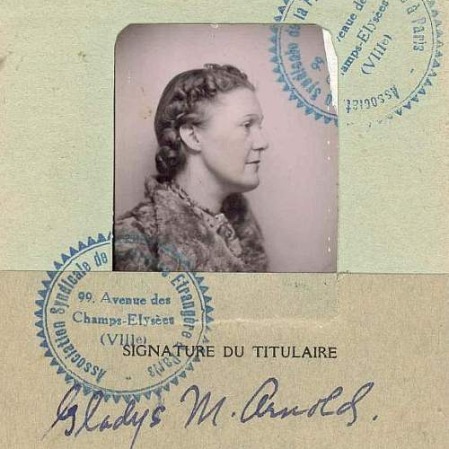
Why does the University of Regina’s Archer Library & Archives want transcriptions of the items in the Gladys Arnold collection?
Archival research can be very time consuming. Sometimes researchers need to look through hundreds of files in the hope of identifying broad patterns or specific pieces of information related to their topics of inquiry. Further, increasing numbers of archival researchers are not trained to read cursive writing. The transcripts that will result from this Zooniverse project will make a big difference because they will help us to make these selected items from Arnold’s collection full-text searchable. This means that future researchers will be able to search keywords (like places, peoples' names and other items of interest), helping to increase their search accuracy, efficiency and scope.
Who will use the transcripts created by the Zooniverse community?
Scholars, students and other interested people from all over the world access the collections of the Dr. John Archer Library and Archives. Thank you for helping us to help them discover the information contained in this rich collection.
Why is Artificial Intelligence used as a part of this project?
We know that there are many worthwhile projects in need of Zooniverse volunteers. We hope that our use of an AI tool to draft the initial transcripts will spare human volunteers from the need to start from scratch on this project. However, while HTRflow is very helpful, handwritten text recognition technology is not perfect. The quality of the transcription can vary depending on factors such as fading ink, condition of the paper, and the handwriting style, and errors like misread letters and words can occur. A human reviewer is essential to catch these mistakes and ensure that the final transcripts are accurate and reliable. Thanks to everyone who is willing to invest their “people power” into helping us cross-check the machine-generated transcripts!
Are data being generated in this project being used by AI or to train AI models?
No, we are not using any data generated through this project to train AI models. Data generated in this project are being reviewed by humans, not by AI tools. For more detail on our transcription process, including how HTR differs from OCR, see our Research page.
Technical Questions
Can I save a partially completed transcription and finish it later?
No, currently there isn't a way to save a draft and return to it. Transcripts also don't save automatically. If you're not able to finish transcribing a page, we encourage you to submit what you've finished.
What should I do if I can't read the handwriting on the page?
Do you best to transcribe what you see. If it's unclear or illegible, put the text within unclear tags (i.e., [[unclear]][[/unclear]]). If you'd rather work with a new page, refresh your browser and a different letter should appear.
What are some tips for reading cursive handwriting?
- Focus on letter position and combinations. Letters can look different at the beginning, middle, or end of a word, and some letters (like n/u or h/k) are often confused.
- Use surrounding letters and words to narrow options. Certain letter and word combinations are more likely than others, so use context to rule out unlikely choices.
- Look for repeated word shapes. If a word is unclear in one place, you may find it written more clearly elsewhere in the text.
- Visit our Education page for more resources on reading cursive.
What if I make a mistake?
Every transcript is going to be reviewed by at least three people, and a member of our team will review everyone's transcripts to see where there are differences. If you're not sure what a particular word or phrase is, use the unclear tags (i.e., [[unclear]][[/unclear]]). But, if you forget to use the tags or make some other error, it's not a big deal.
What if I want a new letter?
If you'd like a different letter, hit refresh in your browser and a new item will appear. You can also choose a different workflow to try a letter from a new correspondent.
Do I have to use the AI-generated transcript?
No! If you'd rather delete the AI-generated text and transcribe the letter without it, please feel free!