


Finished! Looks like this project is out of data at the moment!
All of the workflows for this project have been completed.
Thank you to all the volunteers who participated. You are appreciated!
FAQ
Problems with the screen size or data entry boxes not displaying?
Check out Tips in the Field Guide.
Upside down image? Text too small to read?
Use the image control toolbar located in the upper right corner of the image view window. Buttons will rotate the image and zoom in/out.
What should I do if there are two numbers in the last Cemetery No. field?
Enter them both in the same field separated by a comma.
Should I make note of handwritten marks in the top row?

No, these marks do not need to be noted.
Should I make note of the large red stamps in the top row?
No, these stamps should be ignored and notations are not necessary.
Should I include the cablegram number since it is on the top row?
No, cablegrams are not being captured in the current task.
Some cards have middle initials that appear to have been erased, do I need to include them or make a notation?

No, in these cases the initial or name has been erased and they should not be included. It does not hurt, though, to make a notation in the comments for the card if you are unsure.
Why enter punctuation, capitalization and abbreviations exactly as they appear?
Each individual card will be presented to at least 3 different volunteers for classification. The ideal goal is that all 3 volunteers enter the exact same thing for each field, thus allowing us to be certain that the resulting data in the database is an exact representation of the information on the card. At a minimum, we need 2 of the 3 volunteers to enter the exact same thing for a given field to give us an acceptable level of confidence. If volunteers try to over-interpret the typed data in a field and in doing so make it something other than what the text shows verbatim, we may not end up with a consensus for that field. PLEASE ENTER EACH FIELD EXACTLY AS IT APPEARS.
What if there are notations at the top of the card that don't belong to one of the fields?
Enter any extra notations that appear at the top of the card into the data entry box called "Other notations." Separate multiple notations with a comma. e.g.: "See remarks, Alias case"
What if I see something that should be corrected?
If you think something is incorrect, leave a comment about the card using the Done & Talk button at the bottom of the Task. Return to the next card by selecting CLASSIFY from the top menu.
What should I do if the text on the card doesn't line up with the field headings?
Use your best judgement, but in most cases the fields are in the same order on each card. So, even if the serial number doesn't line up under the serial number heading, you can be certain that it is supposed to be the serial number.
There is a lot of other important data on the cards, why aren't we collecting that information?
The other information below the first line will be collected in future tasks. The project is being conducted in stages to keep the tasks as simple and efficient as possible. The second stage will collect the second line information. Future stages will collection information about the burial locations and emergency contacts. Watch the Announcements Talk board for information about upcoming stages.
Why not OCR these cards?
Zonal OCR would be an obvious means of capturing this data. However, OCR is not exact when working with old typewriter text and text written on top of rule lines, such as is the case with these cards.
What do these cards represent?
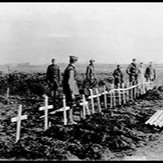
These cards represent over 78,000 American soldiers who died overseas during World War I.
What information do the cards contain?
These cards are a great source of information that contain the name of the individual who died, the unit that they were assigned to, and information regarding the nature of their death. The primary purpose of the cards was to catalog the burial location(s) for each soldier. This was a task of the Office of the Quartermaster General.
Where are the cards now?
They are housed at the U.S. National Archives. A digital catalog is available online here: https://catalog.archives.gov/id/6943087
What will be done with the data when the project is completed?
The index database will be available as a free service on Fold3.com. Any public entity that wants to utilize the detailed data acquired from this project should submit a request to the Team. Later incremental workflows will capture the rest of the fields on the cards, eventually producing a database that can be searched and/or sorted on any of the fields.